
luir is a terminal client for Lurker, the always-on IRC client that keeps your connections up while you are away. The name is what it is: a Lurker UI, in Rust.
It speaks the Lurker client protocol over a WebSocket, so the server keeps track of what you have read, your drafts follow you between devices, and a dropped connection picks up from the last message it saw.
Screenshots
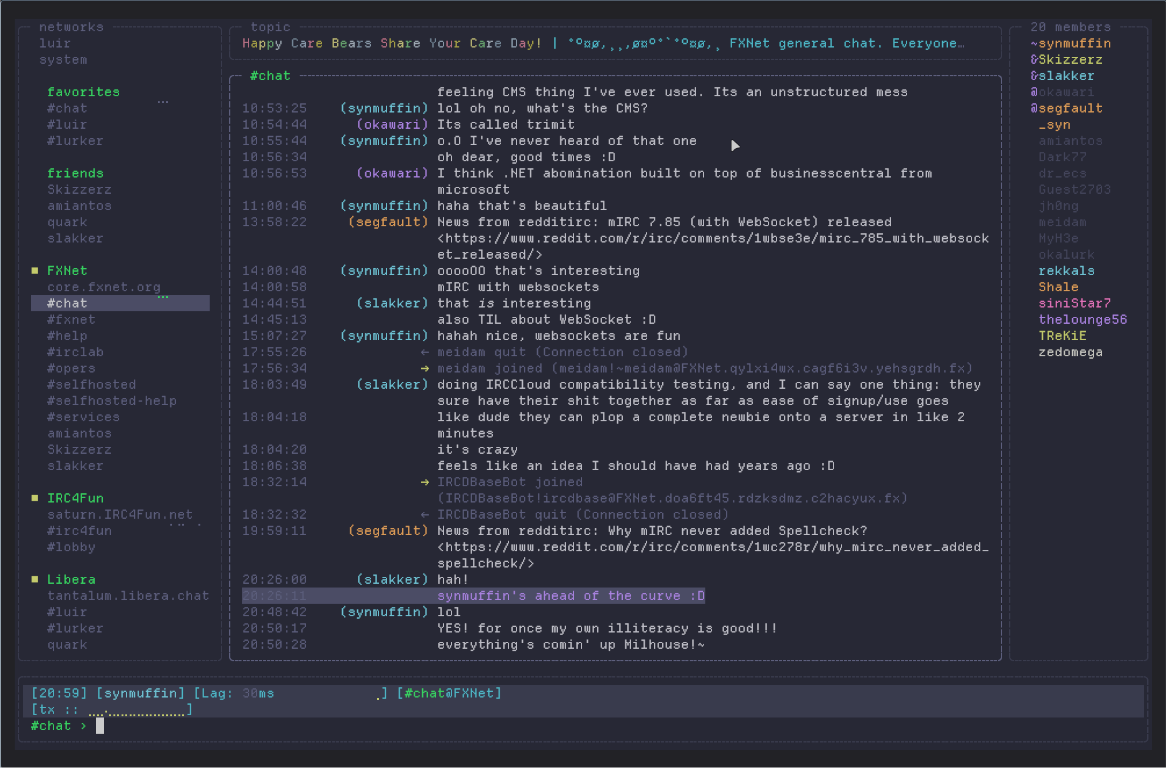
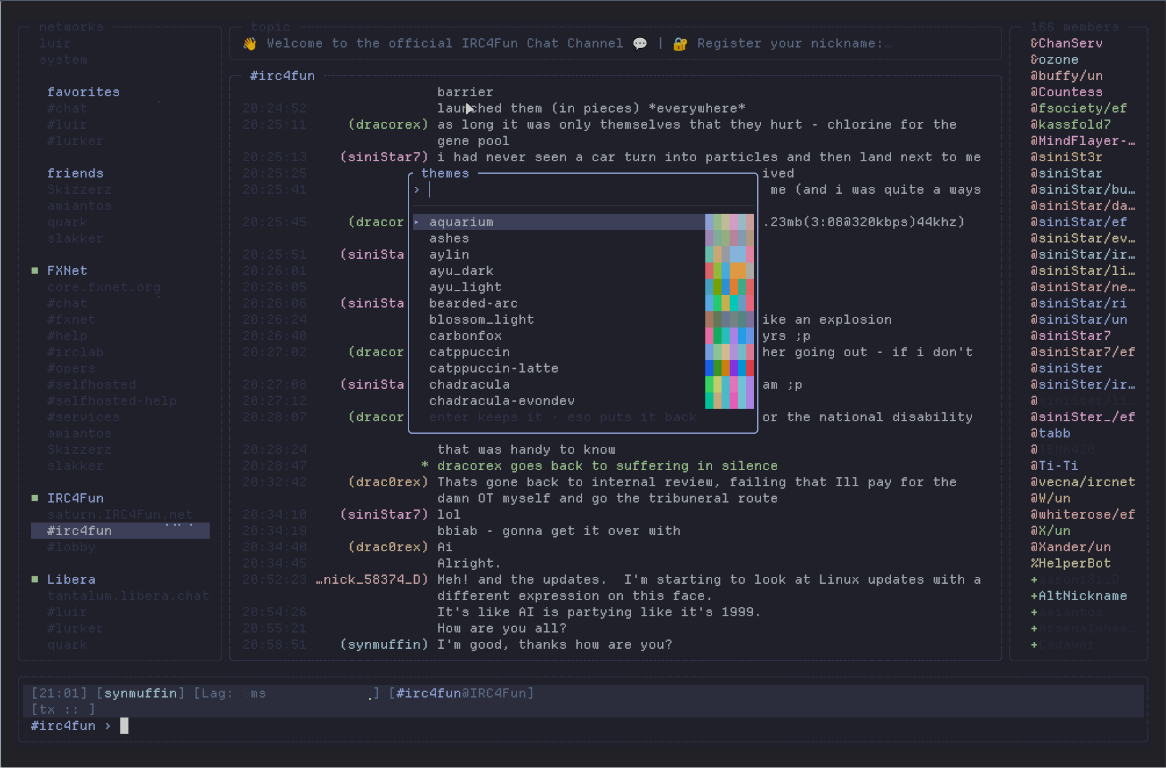
alt+t: pick a colour scheme, previewed live on your own channels.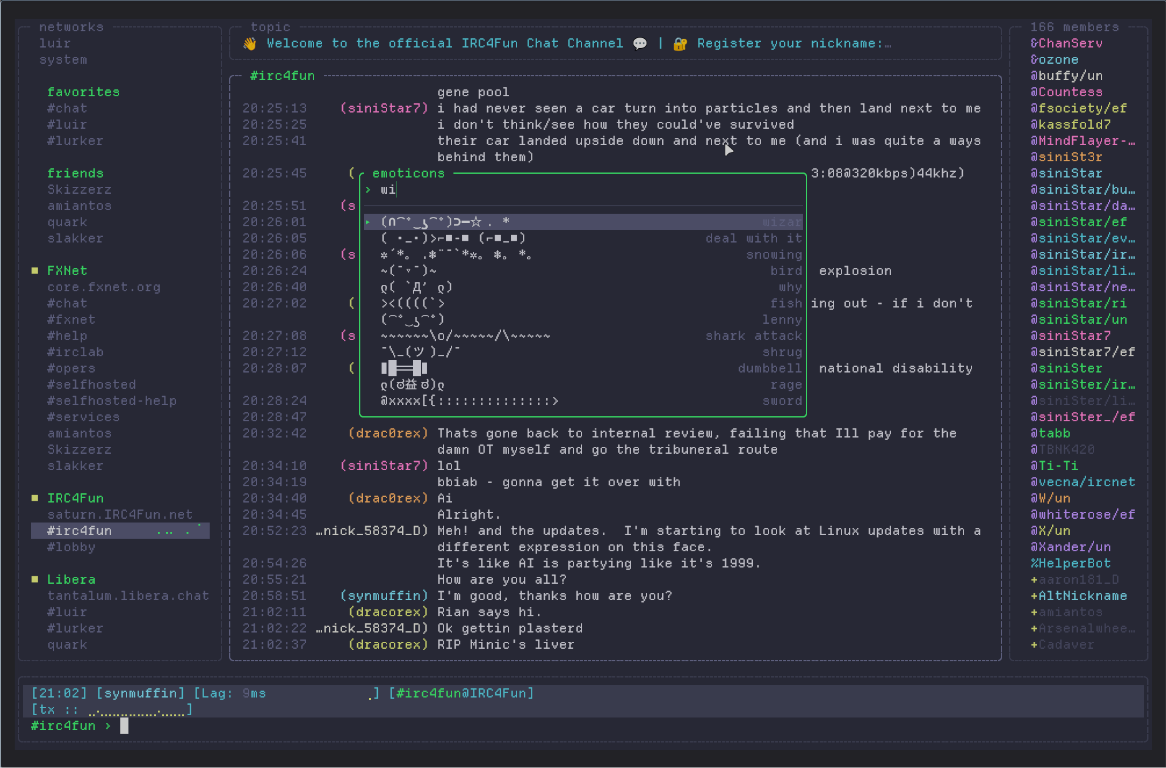
alt+e: the emoticon picker, searching names and keywords as you type.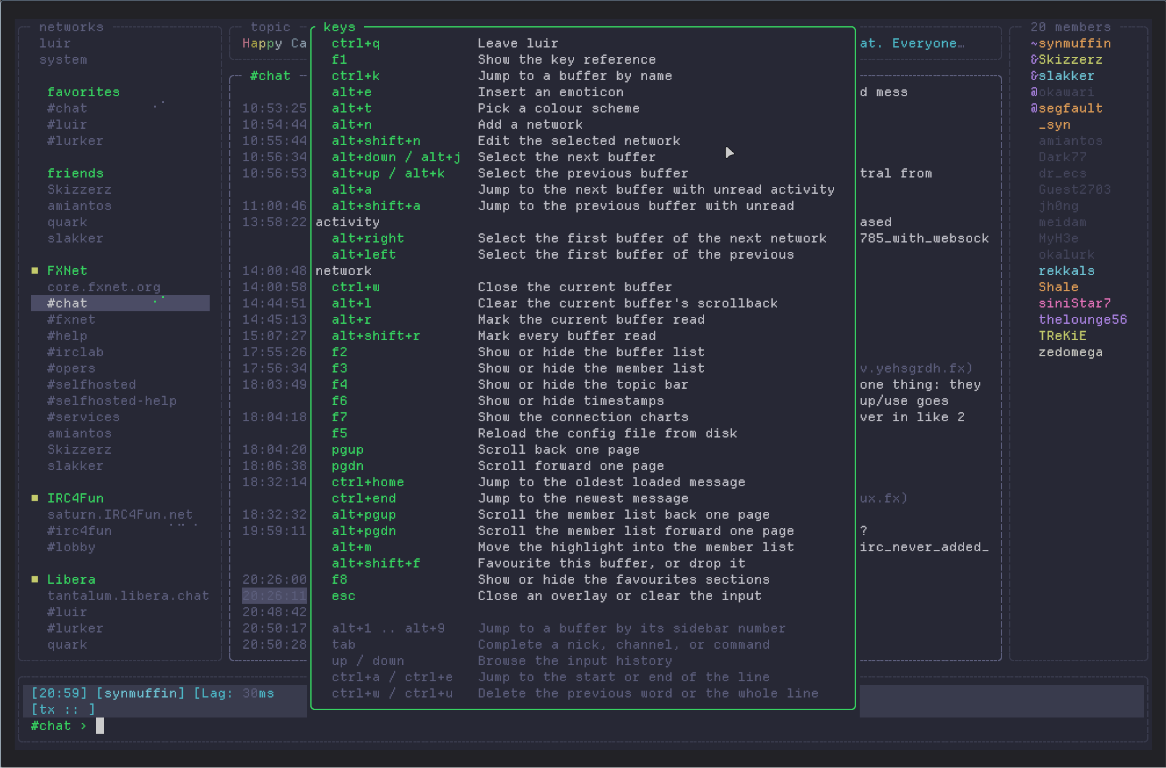
F1: every key, with your own bindings applied.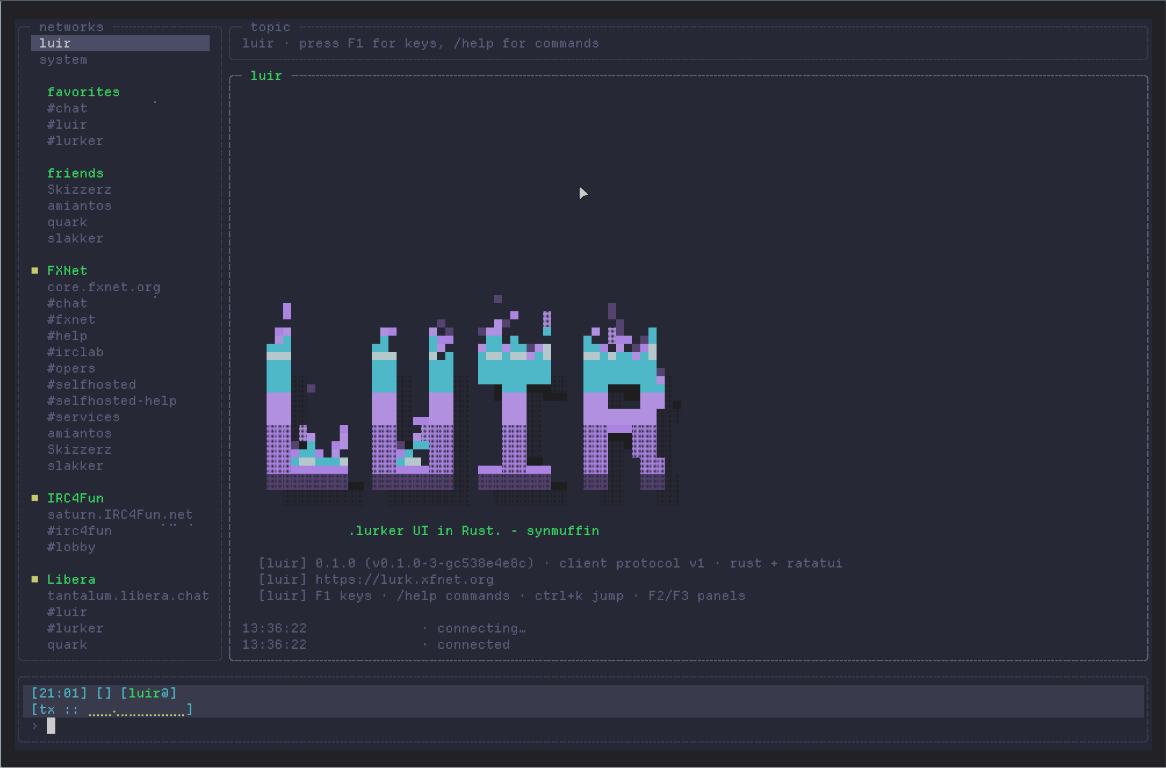
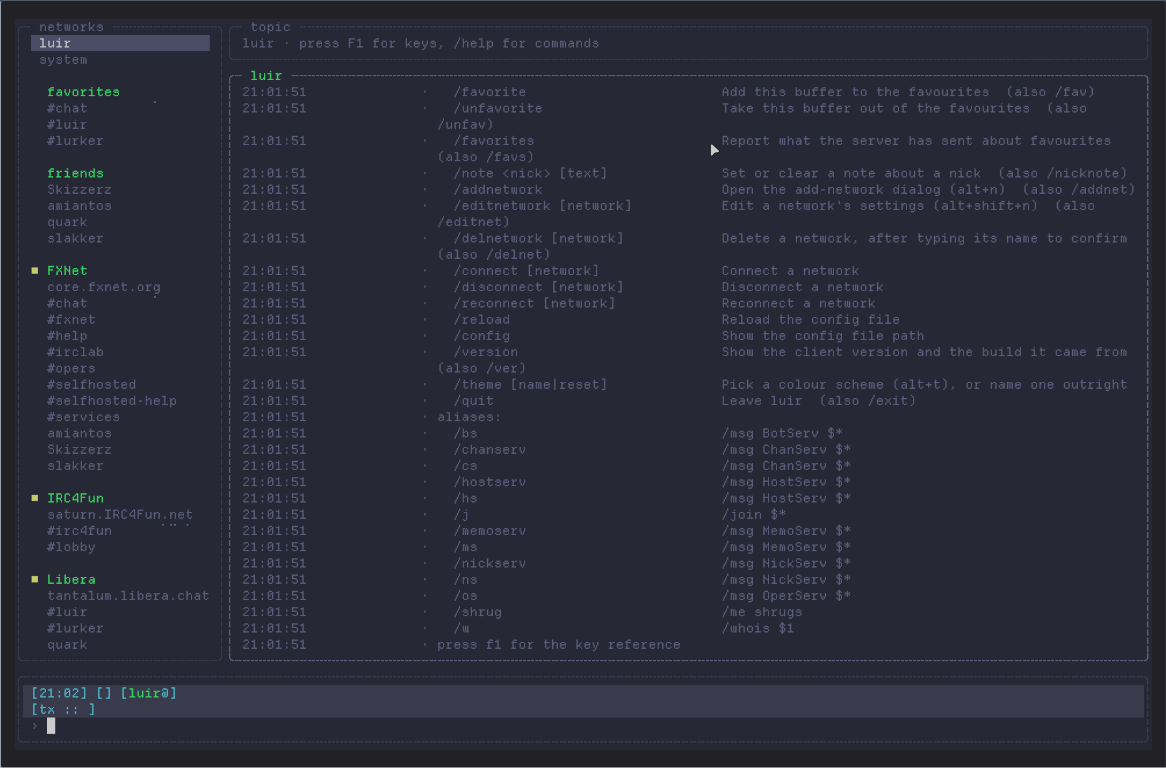
/help: every command and alias in force.Each one links to its full size.
Get it
The current release is 0.5.0, from 2026-09-26, with prebuilt binaries for Linux and Windows.
What it does
- Server-side read state, resume on reconnect, backlog paging, synced drafts, typing notices and nicklists, all over the Lurker client protocol.
- Sign-in by approving luir in your browser, even over SSH, so it never handles your password.
- Ninety-eight colour schemes, previewed live on your own channels.
- ANSI-art start-up banners, drawn in your theme's colours, with room for your own.
- A modern layout, or a classic one in the ircII and BitchX tradition.
- Favourites and friends, kept on the server with the web UI's.
- A mentions buffer gathering every message that highlights you, from every network, with the highlight rules managed from inside luir.
- Search on
ctrl+f, run by the server over everything it has kept, not just what is loaded. - Lag and send-rate charts, small in the status bar or full size on
F7. - Networks added, edited and deleted without leaving the client.
- An emoticon picker with over three hundred emoticons, aliases, and keys you can rebind.
- A Lua config, one annotated file per concern.
Links
- Source: https://git.xfnet.org/jnewing/luir
- Releases: https://git.xfnet.org/jnewing/luir/releases
- Bug reports: https://git.xfnet.org/jnewing/luir/issues
- Lurker: https://lurker.chat/, and its documentation at https://docs.lurker.chat
News
2026-09-26: luir 0.5.0 is out, for Linux and Windows. Downloads.
2026-09-18: luir 0.4.0 is out, for Linux and Windows. Downloads.
2026-09-13: luir 0.3.1 is out, for Linux and Windows. Downloads.
2026-09-12: luir 0.3.0 is out, for Linux and Windows. Downloads.
2026-09-10: luir 0.2.0 is out, for Linux and Windows. Downloads.